Online purchase
Sanmao Store has been officially launched since September 2025. You can place orders, make payments, download software, and obtain authorization online.
Sanmao Store URL: order.sanmaofile.com
Usage steps:
- Open the official website of Sanmao Store: order.sanmaofile.com
- Register as a user of sanmao store
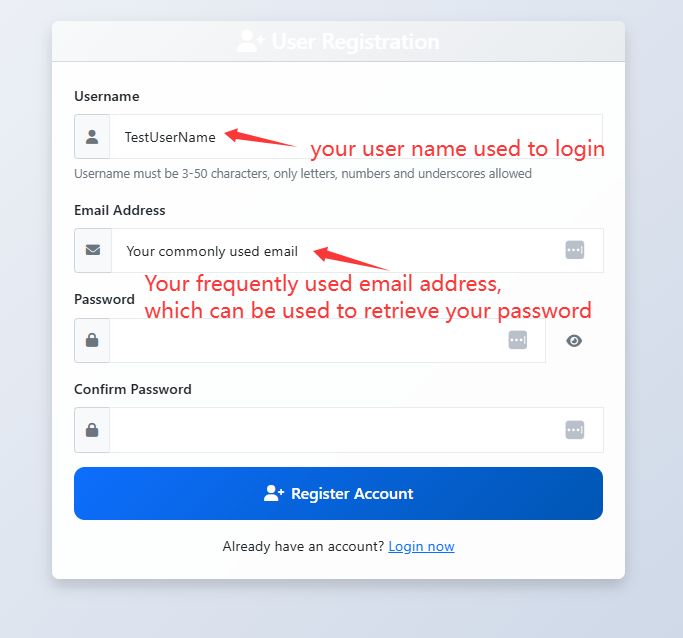
3. Login with your Username and password.
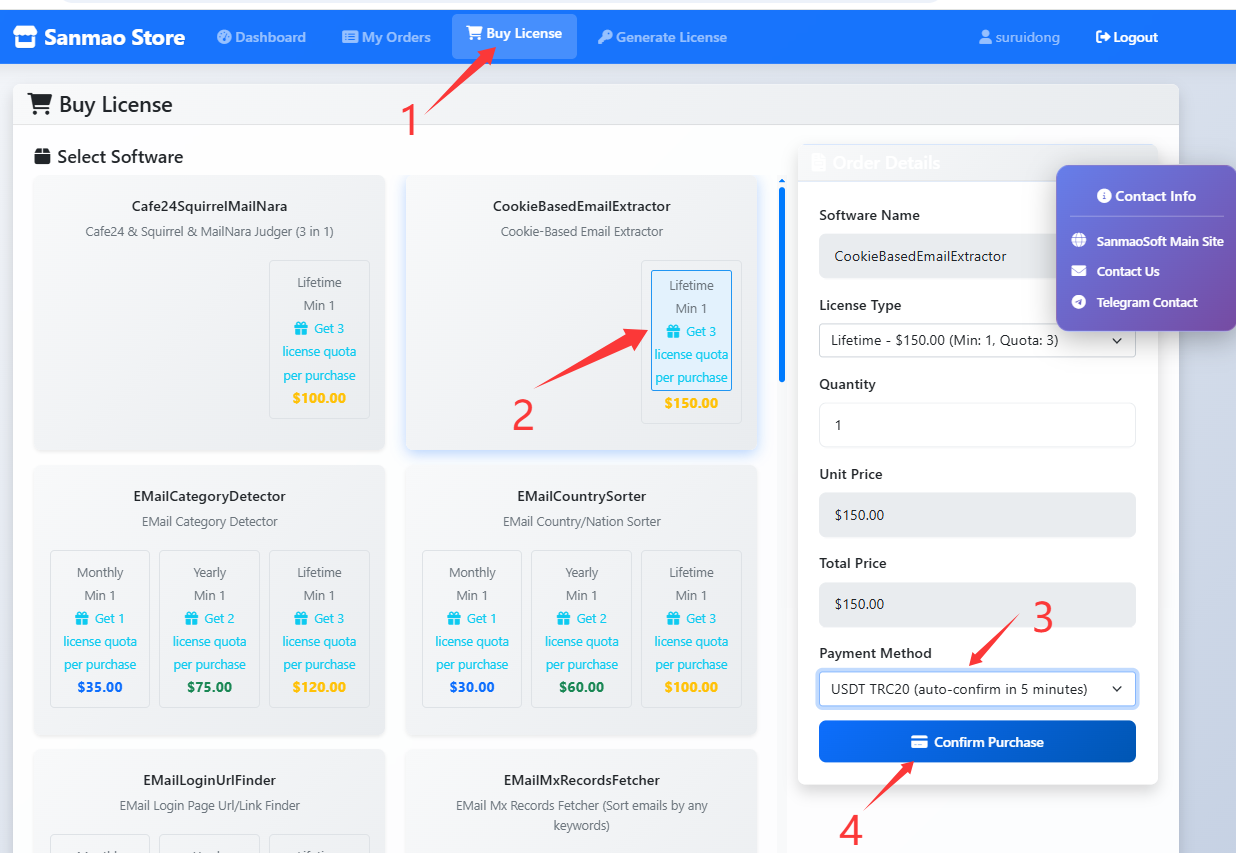
4. Select “Buy License” page, and select the software you want to purchase, choose a payment method, and “Confirm Purchase”
(Here, taking the purchase of the “Lifetime” version of “CookieBasedEmailExtractor” as an example. If you want to purchase other software, please select the corresponding software.)
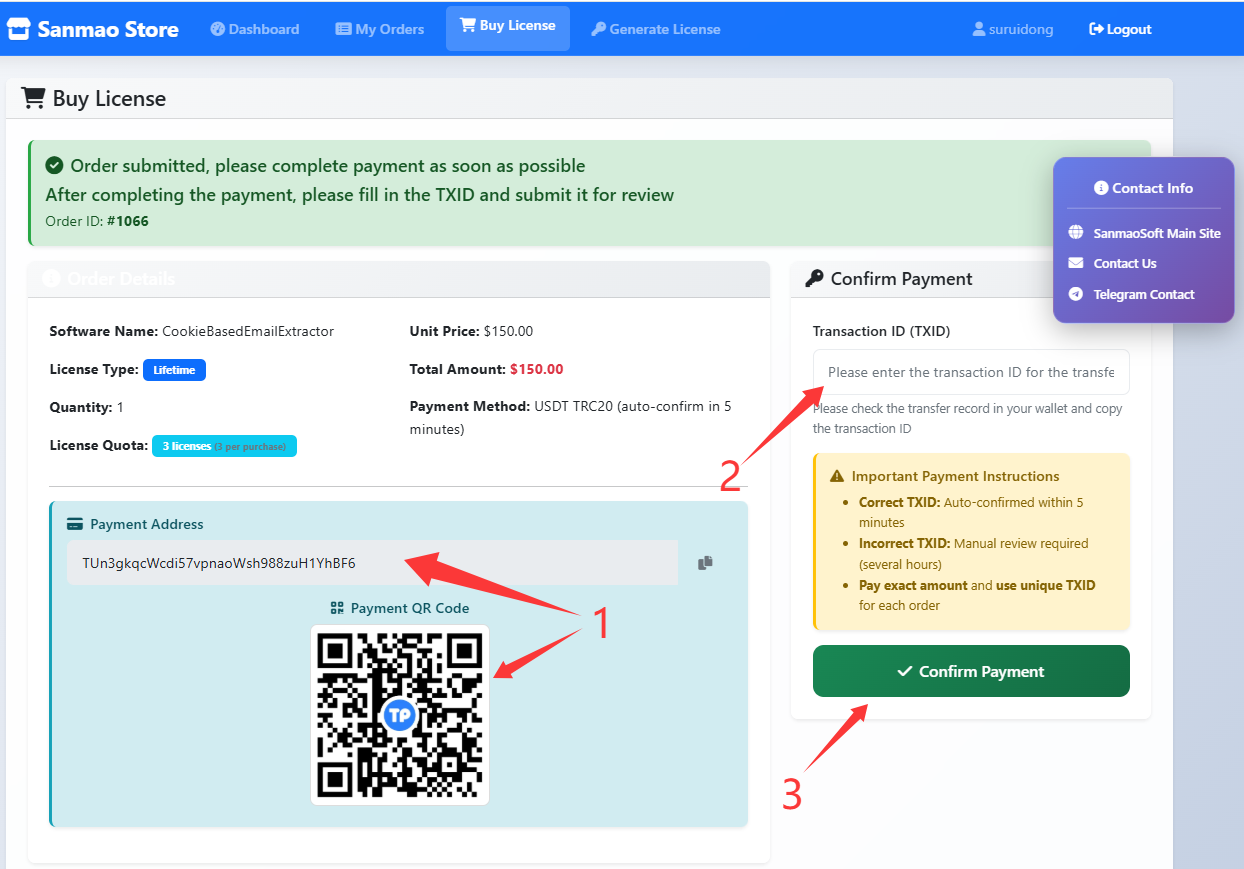
5. Complete the payment, Enter the transaction ID (TXID) for payment, click “Confirm Payment”, and wait for the system to automatically verify and credit the account.
(Once the payment is verified and credited, the system will automatically send a notification email to the registered email address.)
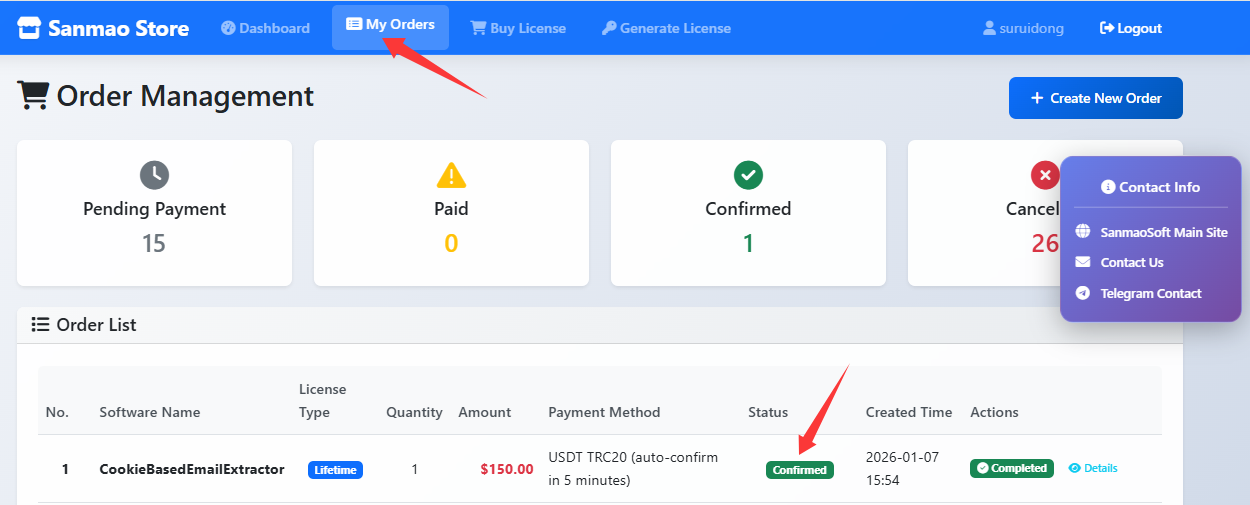
6. You can view the status of your orders on the “My Orders” page. When the order status changes to “confirmed”, it indicates that the payment has been received.
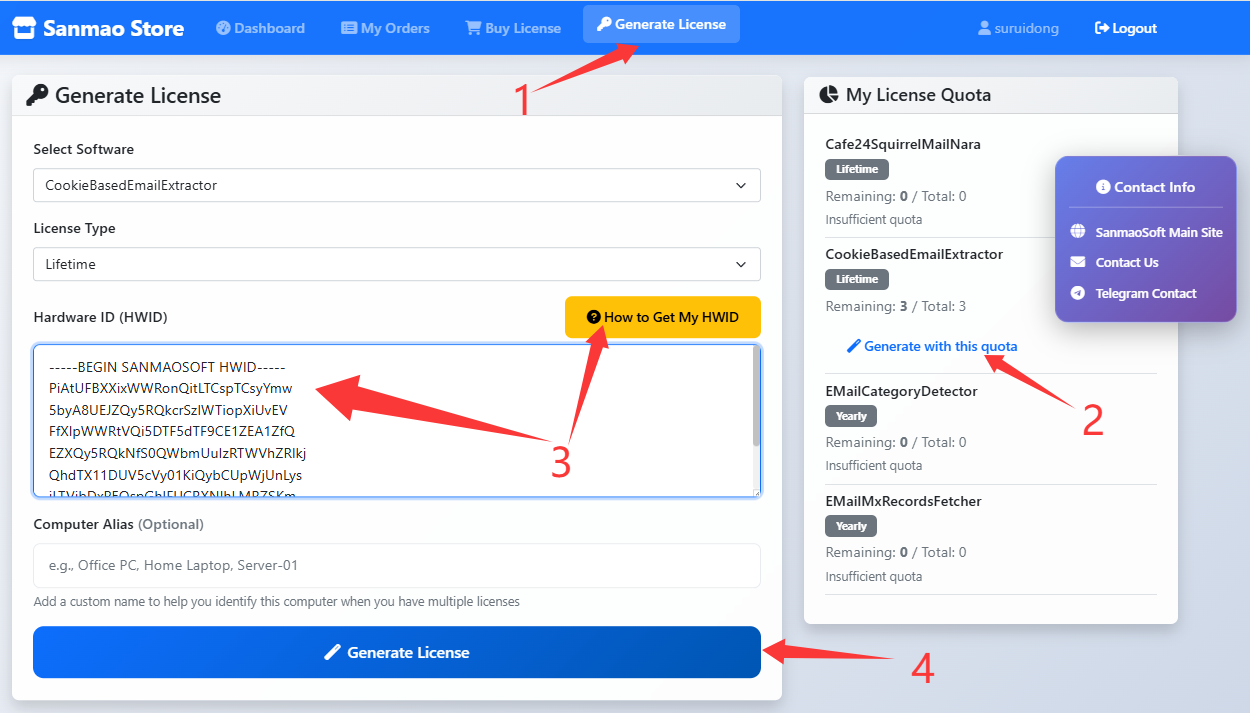
7. Select “Generate License” page, generate license using your left quota you have bought.
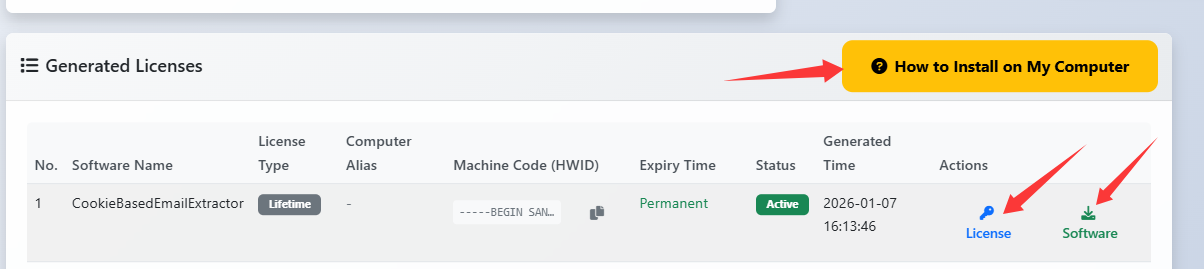
8. You can check all the “Generated Licenses” on the bottom of “Generate License” page.
Download the software package and the license file package, and install on your computer.
The software package and license package you downloaded are shown in the figure below (still, taking “CookieBasedEmailExtractor” as an example):

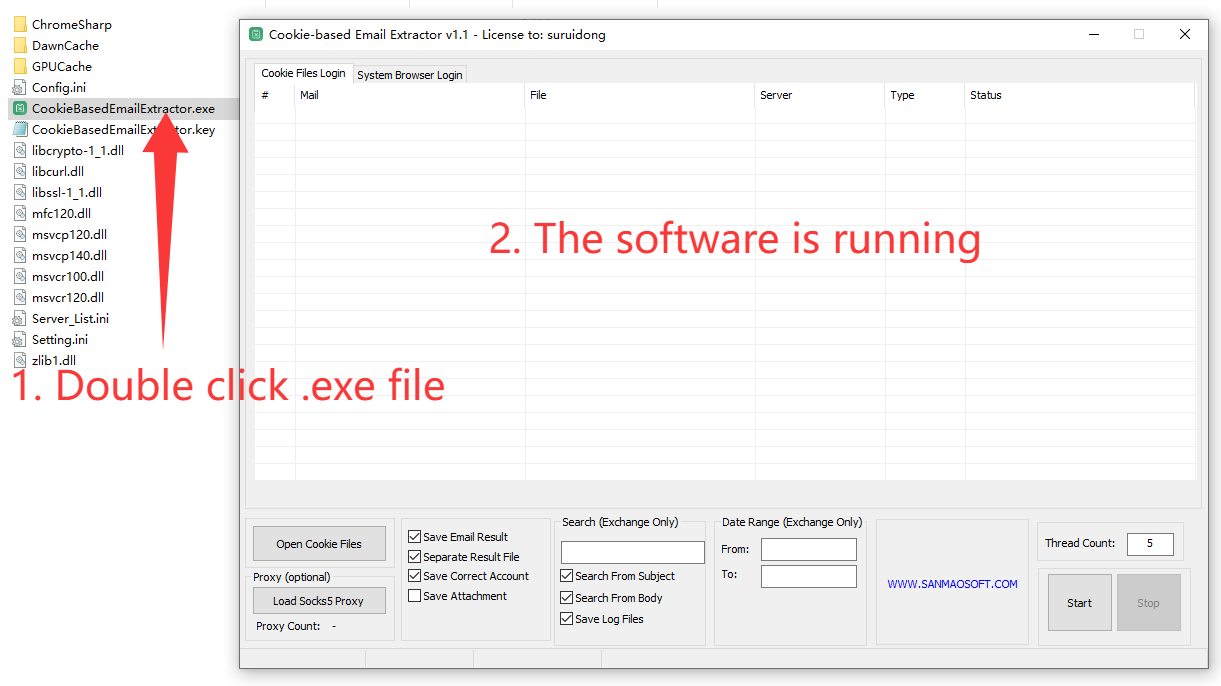
You need to unzip them separately and merge them into a same folder. The merged folder is shown in the following figure:
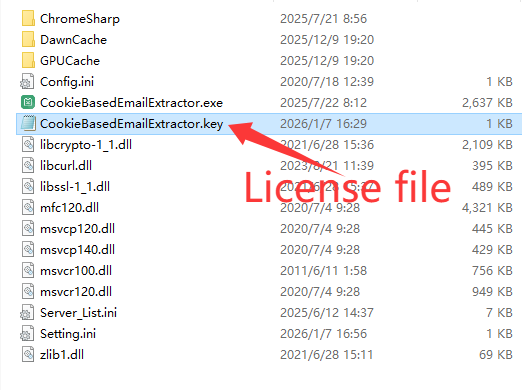
9. Run the software (.exe) and it will be ready for normal use.